Searching for the best application to control another machine from a remote connection? How about if I tell you that it supports remote connection over VPN, firewall and proxy plus file transfer and security support? And best of all, it’s free for personal use.
The freeware software is known as TeamViewer. It works pretty much the same as any remote desktop sharing application. You run an application known as the TeamViewer Host on the computer where you want to share the desktop.
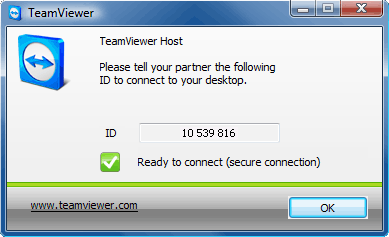
The host application generates a key which will then be used by the client to connect to your host machine.
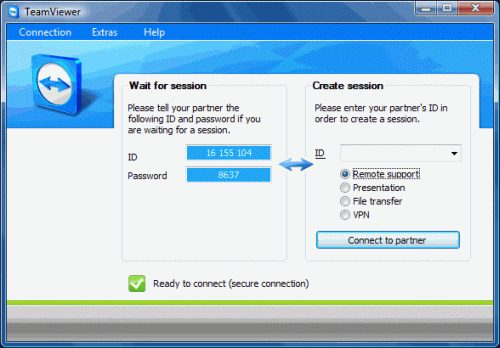
Included features
– Remote control of computers over the Internet
– Instantly take control over a computer anywhere on the Internet, even through firewalls. No installation required, just use it fast and secure.
– TeamViewer can also be used to present your desktop to a partner on the Internet either for training, sales and teamwork, showcast or PowerPoint presentations etc.
– Share your files, chat, switch the direction during a teamwork session
I have used it and find it flawless. It’s so good that I dumped LogMeIn Free at the backyard.
More info about TeamViewer here
Cosntantin says
Dear David,
thanks a lot for your overwhelmingly feedback on TeamViewer. We here at TeamViewer in Germany absolutely share this opinion with you 😉
It feels quite good to receive such props from our users and I just can return it for your exciting post. Please stay tuned here as we have planed greater improvements: http://feeds.teamviewer.com/company/newsfeed.aspx
All the best,
Constantin
Don says
This is similar to what Techinline offers, except for half the price. Also the same idea about generating a code and having the remote user punch it in. Although Teamviewer is probably more fully-featured, Techinline is easier to use and more reasonably priced for a small company such as the one I run
twinkd says
i have a lan connection, 1000 miles away my friend has sxc connection . both of us have teamviewer . I cant connect to his computer. does team viewer only support lan connection? please reply soon. thanks
David says
nope, I use teamviewer through the internet and it works fine
Suzanne says
I guess configuration is the biggest problem with in-built remote support software. You could take a look at RHUB TurboSupport (www.rhubcom.com). It offers remote support and remote access together in 1 product. Plus you can also do multi-tiered support with it. And of course it’s a one time fee product and much more affordable and secure.
Jacob says
I made a little summary based on my experience with these tools:
1)I used to work with Teamviewer is great in what it does but has weird price policy marked by hiding prices. And free version has limited panel of functions needed in my work but Teamviewer is perfect for home users in my opinion.
2)Logmein gained a great reputation but loses in price because not everybody can afford it. Logmein is the best one for professionals but they are cheaper options for home users.
3)VNC products are badly functioning with Windows 7 and Vista.
4)Techinline is the best alternative to all expensive products on the market at the moment in my opinion.
hope this might be helpful
David says
Thanks for the input, Jacob.
Ben says
Hello Jacob,
Thank you for your comment. Just to clarify: There are no hidden prices within the TeamViewer license model. As you could see on our website our commercial users purchase lifetime licenses for an unlimited period after purchase. There are no extra charges per use / month / year etc. TeamViewer does not have any fee-based maintenance contracts or other hidden costs. All updates to the same main version are free of charge. Switching to a new main version later is optional.
If you have any further questions or require further information please don’t hesitate to contact me / us.
Best,
Ben
TeamViewer
Foster says
I did not like TeamViewer. It is very slow and blocks sessions every 5 minutes. I like Ammyy Admin more. It does not require installation or serious settings. Moreover, the price of commercial license is cheaper.It is about $100. All paid licenses are lifetime. You make only one-time purchase. BUT it is absolutely free for home usage..